Quick Start Guide – All You Need to Know
You’re a happy Boost Fin owner – we’re super-glad and grateful for your support! 🥰
Please pay your proper attention to the steps prior using the device.
Activate your fin by charging it
- Plug the charger into a wall socket. You will see green light indicator on the charger meaning that it’s either fully charged, or not connected.
-
Then connect the charger to your fin. The light indicator will turn red – it’s charging. Once it gets back to green, your fin is fully charged and ready to go.
Note: The charging process may take up to several hours, it’s okay.
Turn on and turn off your fin
- Check the Boost Fin box for a magnet screwdriver.
- Attach the rear end of the screwdriver (where magnet is) next to the icon on the fin – you will see a blinking blue light indicator and hear a short beeping signal.
- Wait a bit for another signal and the light changes to green – turned on!
- When you fin is turned on for 30 minutes and you don’t use it, it will automatically turn off. You can adjust the standby timer in the app.
- To turn it off, just attach a magnet end of the screwdriver towards the icon for a second. The light indicator will turn off.
Connect your Fin to your phone
- Download Boost Surfing App.
- Once you launch it, give it all the necessary permissions, and turn on the fin.
- Then place your phone on the fin and tap My Device is Turned On.
- On the next screen tap Pair My Boost Fin.
- Change the name of the device (e.g. my best mate 😊)
- Select Board Type: Surfboard or SUP Board and tap Finish
Note: The Surf Mode is set by default, so if you’re using the fin with a SUP, we strongly recommend changing the mode in the app. Connect your Fin to the BoostFin App to change the mode and settings.
Connect a Remote control
- Tap Connect Remote on the next screen.
- Press (not necessarily hold it as the app says) the first button on the remote as the app shows you.
- Press the second button as the app shows.
- Tap Continue and press any button to check how it works.
- If you need to connect a second remote, tap Remote button in the upper right corner.
- Tap Connect New Remote > Continue.
- Repeat the steps described above following the app instructions.
Note: Disconnect any remote control tapping the same Remote button > Disconnect remote controls. One remote control can be connected to five fins.
Install the Adapter to your surfboard
- The Longboard Adapter comes pre-attached, so to begin the installation process, you'll need to unscrew the adapter using the screwdriver provided.
- Decide whether to use the top or bottom hole for the metal pin. Note that the bottom hole is specifically designed for deep fin boxes.
- Carefully push the adapter into the fin box until it is securely seated.
- Use the provided screw to fasten the adapter firmly in place within the fin box.
You can find the instructions for other types of adapters here.
Note: If you feel like you have another type of adapter or your board requires another one, please contact us at [email protected] – we’ll be glad to assist.
Install the Propeller Guard
- You’ll receive the Propeller Guard not attached to the fin, but in the separate packaging with the instruction.
- To attach the prop guard, just turn it counterclockwise until you hear a click. It won't break if you apply a little pressure.
Install Boost onto your adapter
- Put the Boost Fin on the installed adapter and press it a bit down.
- Using the magnet screwdriver from a box, tighten two screws in (do not put too much effort).
You can find spare screws here.
Adjust the Settings in the Boost Surfing app to fit your Preferences
To adjust the motor power of your fin, follow these simple steps:
- Choose the model of the fin you are going to use (in ouse case Original Fin).
- Launch the app and go to the main screen.
- Tap Standard Surf Mode.
-
Choose either Standard SUP or Standard Surf mode.
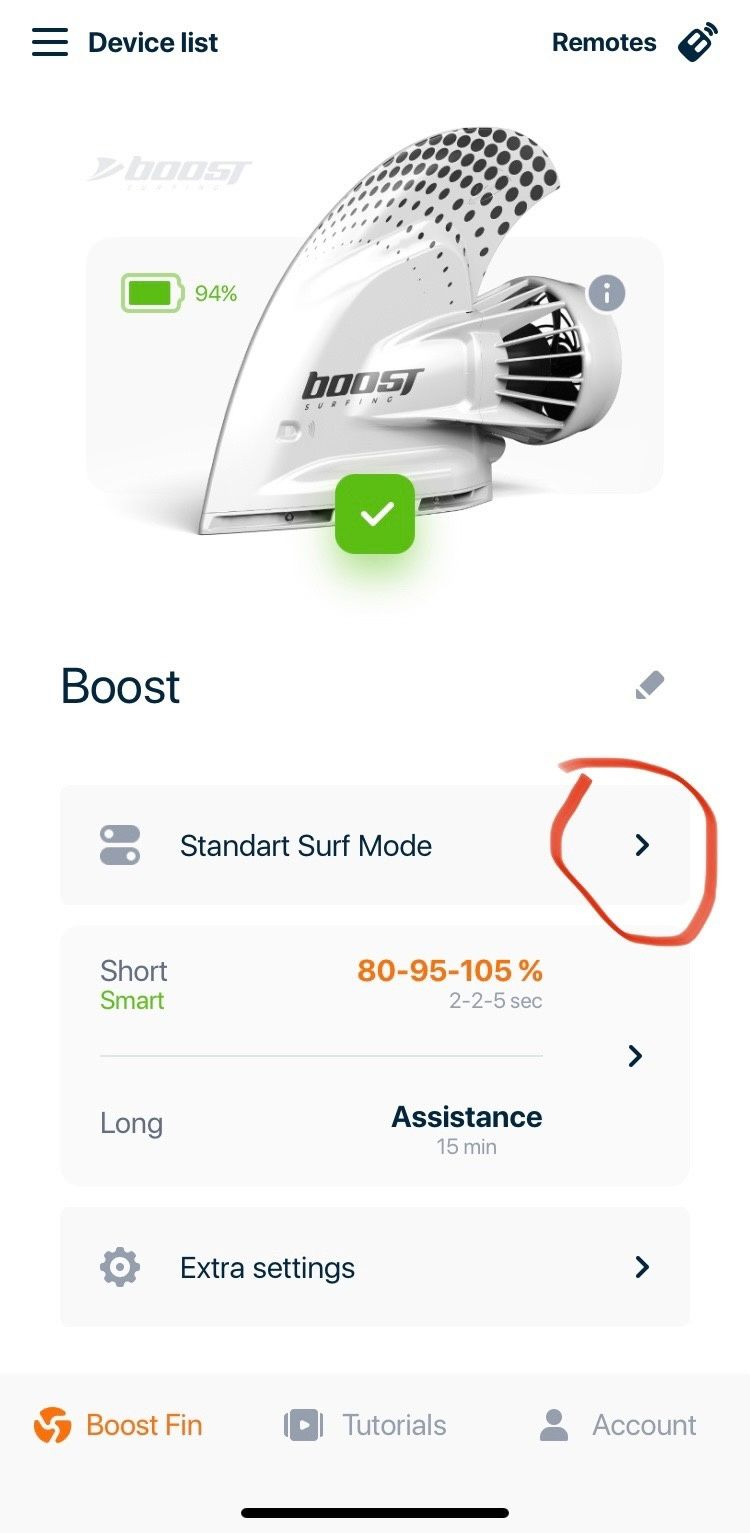
Standard Surf Mode 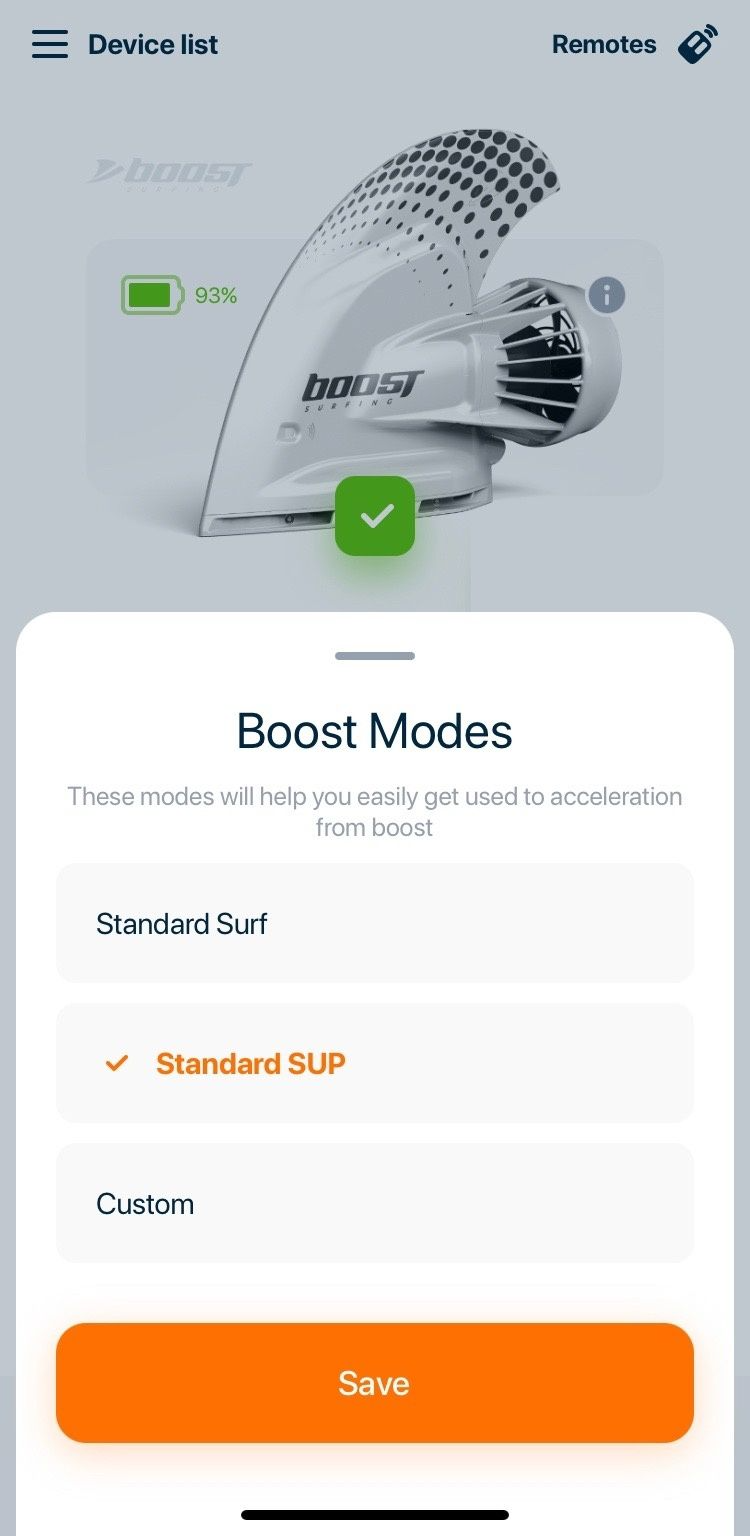
Pick an option here
That's it! Your settings have been adjusted.
Further instructions on how to deal with the app you can find in our section here.
Install a Leash
We recommend ordering a Leash for your Boost. It will allow you to secure the Fin on the board and not to worry about losing it accidentally, for example, in case of taking a knock.
You may have noticed that our leash is more compact than the original. This design is intentional, as we recommend securing the leash to both the fin and the board for optimal safety.
Follow these simple steps to attach your leash:
- Insert the leash string: Begin by inserting the leash string into the hole located on the bottom part of the fin, just beneath the propeller and charging port.
- Create a loop: Once the string is through, loop it back through itself and pull it tight. This will ensure that the leash is securely attached to the Boost.
- Attach to the board: Flip the board over and connect the other end of the leash to the string attached to the leash plug.
- Check security: Finally, double-check that the leash is firmly secured in both locations.
By following these steps, you can ensure that your leash is properly attached, enhancing your safety while enjoying your time on the water.
Check the video instruction below:
Important Maintenance Notice #1
Make sure to fully charge your Boost fin right after you receive it, and fully charge the battery at least once a month even if you don't use the fin.
Important Maintenance Notice #2
Never charge your fin if the jack is wet. Make sure that the jack is fully dried before charging.
If after the session you notice water inside your jack, you might have not closed the plug tight enough so consider getting a silicon earplug. It completely seals the charging port and is very easy to use.
We recommend getting this silicon earplug on Amazon.
Further Maintainance Guide is available here.